Shopify Extends WebMCP to Checkout, Letting Browser-Based AI Agents Place Orders: How It Works and What Merchants Should Check
Shopify now supports WebMCP in checkout, so AI agents in the buyer's browser can place orders after the buyer confirms. We explain how WebMCP works, how it differs from server-side MCP and scraping agents, and what merchants should check.

Key Takeaways
- On September 28, 2026 (U.S. time), Shopify extended WebMCP support to checkout, including Shop Pay. AI agents running in the buyer's browser can now update the checkout without reading the screen, and place the order after the buyer confirms
- Product search through order placement is now connected by structured tools. Where Amazon shuts outside agents out, Shopify has chosen a design that welcomes agents that identify themselves
- Merchants do not need to configure anything, but some checkout formats are excluded, and how to turn it off and how these orders appear in measurement are undisclosed. Merchants should review their own checkout setup first
Shopify Opens Checkout to Browser-Based Agents

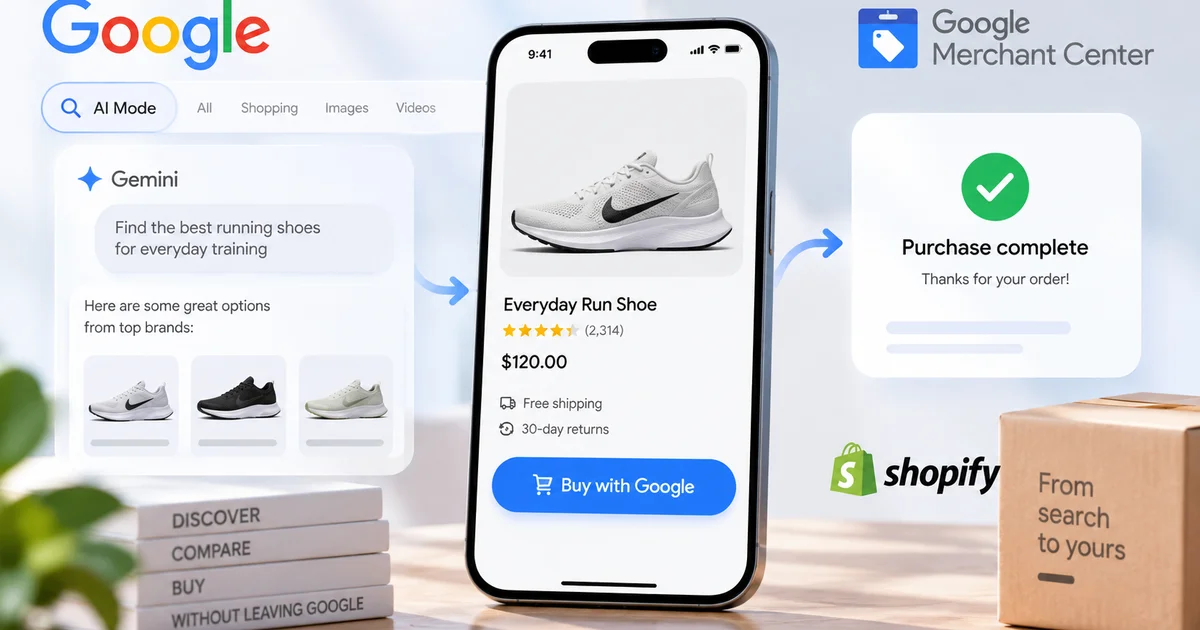
Shopify is expanding WebMCP support to checkout, allowing browser-based AI agents to update order details and complete purchases with a buyer's authorization.
techcrunch.comWhen you hand shopping off to an AI agent, checkout is where things get stuck. The address changes the shipping options, and the shipping option changes the total. For an agent that reads a screen built for humans and fills in fields one at a time, it has been the step most likely to fail.
On September 28, 2026, Gil Greenberg, a staff product manager working on agentic commerce at Shopify, announced on X that Shopify is launching WebMCP support for checkout, including Shop Pay, for all eligible merchants. According to TechCrunch, browser-based agents can now read the checkout screen, update it, and submit the transaction with the buyer's authorization, without relying on screenshots or scraping.
About a week earlier, the industry saw a move in the opposite direction. According to GeekWire, Amazon began blocking Meta's Muse agent from shopping on its site on the night of September 20. TechCrunch also pointed to reports that Adidas is blocking agents. Retailers are clearly splitting into those that shut agents out and those that let them in.
Shopify had also turned on direct checkout for Meta by default for eligible merchants on September 21 (forkast). That concerned a specific partner channel. This time, the target is any agent the buyer brings into their own browser.
What WebMCP Is: Pages Register Usable Tools With the Browser
WebMCP lets a website register its functions as "tools" with the browser, so AI agents can call them with structured inputs. Each tool comes with a name, a description and an input schema (JSON Schema), so the agent does not have to guess what a button does.
The specification is published as a draft by the W3C Web Machine Learning Community Group, with engineers from Google and Microsoft as editors. As the document itself states, however, it is not a W3C Standard and is not on the W3C Standards Track. On the implementation side, Chrome's developer documentation points developers to an origin trial (a program for testing features on production sites for a limited time) starting in Chrome 149.
Shopify had already brought this to storefronts. According to its storefront documentation, tools for product search, cart management, policy lookup and more run on every Liquid storefront with no setup. The same page notes that agent support for WebMCP is currently limited to Chromium-based browsers.
What the Three Checkout Tools Do
When the buyer moves to checkout via proceed_to_checkout, the storefront tools are replaced with checkout tools. Three are at the core.
get_checkout reads the current checkout without changing it. In addition to items and totals, it returns messages about what is still missing, and for a Shop Pay buyer it includes the list of saved cards.
update_checkout updates contact details, the shipping address and delivery option, discount codes, payment and more. The catch is that it sends the complete desired state every time (PUT semantics), not a diff. Because most omitted values are cleared, the Checkout WebMCP documentation asks agents to build each request from a fresh get_checkout response. The tool does not accept adding or removing items; the buyer does that on the page.
complete_checkout places the order, and here the documentation draws a clear line. Before calling it, the agent must show the buyer the current order and total and get their permission. Neither a signed identity, a Shop Pay approval, nor a ready_for_complete status substitutes for the buyer's permission, and if the total changes, the agent has to ask again. When 3D Secure (card authentication) or a Shop Pay verification code is required, the buyer handles it in the same tab.
The documentation also warns that tool responses can carry malicious instructions (prompt injection), and tells agents to treat text in responses as data.
Some checkouts are excluded. According to the carts and checkout documentation, tools are not registered in the following cases, and app-defined checkout extension interactions are not covered either.
- The standard three-page checkout (unless the buyer pays with Shop Pay)
- B2B checkout
- Embedded checkout and mobile checkout SDKs
- Checkouts that include merchandise from another shop
- Draft orders, order edits and payment collection
Server-Side and Browser-Based: Two Doors to the Same UCP
Shopify also runs hosted MCP servers that agents call directly from their own servers. On how these relate to WebMCP, Greenberg describes the Universal Commerce Protocol (UCP, a protocol that handles product discovery, carts and checkout in a common format) as the shared language, with two access methods leading to it. Checkout WebMCP and the server-side Checkout MCP share the checkout object and statuses.
| Item | Checkout MCP (server-side) | Checkout WebMCP (browser-based) | Screen automation (scraping) |
|---|---|---|---|
| Where the agent runs | The agent developer's server | The checkout page open in the buyer's browser | A browser (reading and operating the screen) |
| How it calls the store | JSON-RPC to the store's MCP endpoint | Calls tools the page registered, via document.modelContext | Interprets HTML or screenshots, then clicks and types repeatedly |
| How it identifies itself | Bearer token or signed request | Signatures via Web Bot Auth (WBA) | No common mechanism |
| Handoff to the buyer | Send the buyer to the merchant's checkout via continue_url | The buyer handles Shop Pay login, payment challenges and review steps in the same tab | Not defined |
| Shopify's position | Recommended (first choice if no browser is needed) | For agents running in the buyer's browser | Developer docs ask agents not to work around tools by operating the page |
Shopify's own recommendation is clear. If an agent does not need a browser, it should use the server-side Checkout MCP, and WebMCP is for agents already running in the buyer's browser. Shopify also anticipates agents that build a checkout through the APIs and then move into the browser when the buyer needs to review or verify something.
The Gap With Scraping Agents Is About Identity and Consent, Not Just Speed
Greenberg published Shopify's own benchmark comparing WebMCP with browser automation (reading the screen and clicking) under the same conditions: 10 checkout tasks across two test shops, each run 6 times, for 60 attempts per approach.
- Time per attempt: from 27.4 seconds to 10.3 seconds (2.7x as fast)
- Cost per attempt: 58% lower with WebMCP (at OpenAI's list price)
- Successful attempts: from 56 with browser automation to all 60 with WebMCP
For merchants, though, the bigger difference is that agents identify themselves before they come in. Agents using Checkout WebMCP sign their browser requests with Web Bot Auth (WBA). The documentation states that agents without a key registered with Shopify may be deprioritized or blocked by bot detection.
That is exactly the opposite of what Amazon objected to. According to GeekWire, Amazon argues that Muse browses its site without identifying itself and appears to capture and store customer credentials. Amazon shuts out unidentified agents as a terms-of-use violation; Shopify builds a legitimate path for signed agents. Both reject automation they cannot identify, and the difference is whether they offer an alternative way in.
Why Optimism Alone Does Not Tell the Story
Market views are split. According to Seeking Alpha, RBC Capital Markets analyst Paul Treiber said fears of AI agents disintermediating Shopify are overdone, pointing to Shop Pay's advantages and the transaction fees Shopify charges on third-party payment gateways. Even so, the stock was down 8% from six weeks earlier, and investor anxiety has not gone away.
There are demand numbers too. According to BigGo Finance, Vivey Wan, Shopify's head of commerce for Asia, said sessions and orders on AI channels tripled over the past year, and new orders driven by AI search grew nearly 200% (versus about 12% for traditional organic search). The overall base of AI channels, however, is still described as small.
Caveats remain. The speed and success figures come from 60 attempts Shopify ran itself, not from independent testing. forkast noted that when PYMNTS tested Muse on September 9, it failed three basic tasks, including reordering household goods, and that there is still no public data showing it works reliably after the Shop Pay integration. WebMCP itself is still a draft, and in Chrome the way arguments are passed to tools is set to change between Chrome 153 and 155; neither the spec nor the implementation is settled.
What Merchants Should Check
According to Shopify's developer changelog, the checkout tools run inside the existing checkout and use the same state and validation, so no merchant configuration is required. Without doing anything, a merchant's checkout becomes usable by agents.
The first thing to confirm is whether your checkout is covered. With a three-page checkout, the tools are not registered unless the buyer pays with Shop Pay. Merchants with a large share of B2B or embedded checkout will see a narrower range of agent-driven purchases in the first place.
Next are checkout extensions. Greenberg says UI extensions and custom business rules are respected under WebMCP, and control returns to the buyer when their input is needed. If you run upsells or consent collection through extensions, you should use test orders to confirm where control passes back to the buyer.
On fraud, authentication such as 3D Secure stays in the buyer's hands. How mistaken orders placed through agents, and any resulting chargebacks (payment disputes), will be handled has not been addressed.
What Has Not Been Disclosed
Even after cross-checking the official post and developer documentation, the following points remain unaddressed.
- The criteria for "eligible merchants" and the countries or regions covered: undisclosed (only excluded checkout formats are specified)
- How merchants can turn off the checkout WebMCP tools: undisclosed
- Whether orders placed via WebMCP can be distinguished in the admin, and how analytics tags are handled: undisclosed
- Whether any additional fees apply: undisclosed
- Allocation of responsibility for mistaken orders or chargebacks: undisclosed
- Independent verification of the speed and success figures: none (the published figures are Shopify's own benchmark)
Summary
With this expansion, Shopify stores have become places where browser-based agents can move from product search to order placement through structured tools. At the same time, Shopify has put two conditions at the door: identity verified by signatures, and the buyer's permission before the order.
What to watch next is how far browsers beyond Chrome and the major agents adopt WebMCP, and how Shopify surfaces agent-driven orders to merchants. For merchants on other platforms as well, the time is approaching to decide which tools to expose on their own sites and which agents to let through.